How to Hide Online Status in GBWhatsApp
Protecting your personal online status is crucial, and GB WhatsApp allows you to easily hide your online status without affecting your daily communication experience. This ensures your online status is protected while your daily communication remains seamless.
Why Hide Your Online Status on GB WhatsApp?
In the digital age, our personal information is like an open diary. Every browse, every click, every registration can unintentionally leave a trace. Privacy protection doesn't mean isolation from the world, but rather "locking up" our information. It means we have the right to decide who can know us, when, and to what extent. This is not only to prevent harassment and fraud, but also to protect the peaceful corners of our hearts that we don't want to be spied on. GB whatsapp solves this problem through advanced privacy controls.
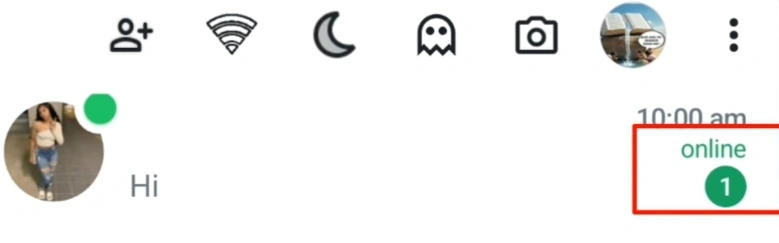
How to Hide Online Status?
- First, open GBWhatsApp on your Android device and make sure you are using the latest version to avoid compatibility issues.
- Next, tap the three-dot menu located at the top-right corner of the screen and select GB Settings.
- Inside this menu, navigate to Privacy & Security, where you will find a collection of advanced privacy tools. Look for the option labeled Hide Online Status and switch it on.
- Once enabled, your contacts will no longer be able to see that you are online.
Benefits of Hiding Your Online Status
- Reading messages without pressure: Sometimes you just want to check messages, not reply immediately.
- Maintaining privacy: You may not want to reveal your activity patterns to friends, colleagues, or groups.
- Avoiding unnecessary chatting: When people see you online, they might start conversations with you that you're not prepared for.
Is it Safe to Hide Your Online Status on GBWhatsApp?
While the ability to hide online status is convenient, it is important to remember that GBWhatsApp is a third-party mod and not an official release from WhatsApp. This means there can be potential risks, such as account bans or security vulnerabilities. If you decide to use this feature, always download the app from trusted sources and keep it updated to the latest version. Used responsibly, the hide online status option is a powerful tool to enhance privacy, but users should remain mindful of the possible limitations that come with unofficial apps.
Other Privacy Options Beyond Hiding Online Status
In addition to the ability to hide online status, GBWhatsApp offers several other privacy-focused tools. You can hide the typing… indicator so others don't know when you're composing a message, or hide the recording… status when sending a voice note. The app also gives you more control over who can call you and allows you to customize read receipts, such as disabling the blue ticks that indicate a message has been read. Together, these settings provide users with a flexible and personalized messaging experience.
Final Thoughts
The option to hide online status on GBWhatsApp is a simple yet powerful way to protect your privacy. Unlike the official WhatsApp, GBWhatsApp allows you to decide how visible you want to be, helping you avoid pressure, interruptions, and unwanted conversations. Whether you are casually browsing chats or intentionally maintaining a low profile, this feature ensures your activity remains discreet, giving you peace of mind in every interaction.